
How to design a list price menu?
In many markets it is common to apply different price-segmentation tactics to charge different prices for the same product or service. But how are these tactics used in practice?
PRICE MENU
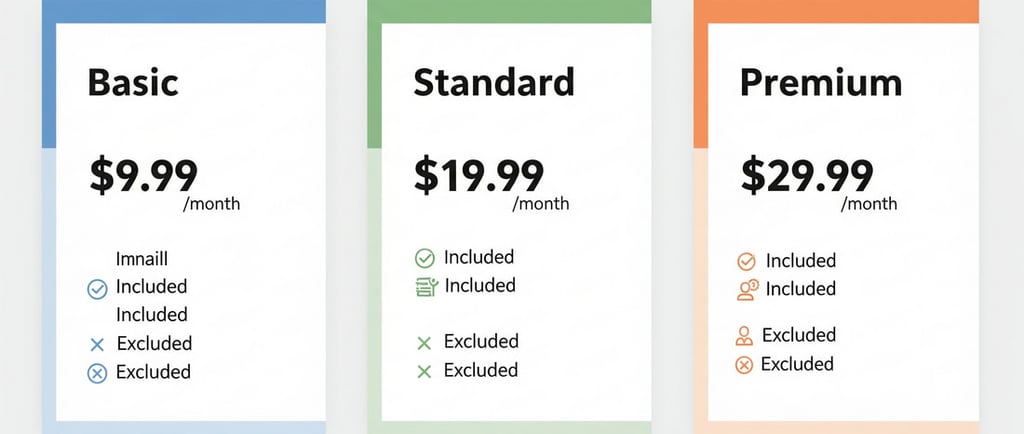
Every price starts from a list price, which corresponds to the maximum price a customer pays when they do not access any discount. From there, discounts are applied that the customer obtains for different reasons, until reaching the net price, which is the amount actually paid.
The key to segmenting correctly lies in offering options, both in the list price per product and in the discounts by customer. These options are managed through the list price menu and the discount menu. We will begin with the first.
The price menu as a segmentation tool
The price menu is the visual representation of the available solutions, their attributes, and their corresponding prices. It is an essential tool for structuring purchasing options in a clear and strategic way.
A typical example is a price menu for residential internet plans, where three variables are combined. The first is purchase frequency: monthly, semiannual, and annual payments are offered. The second variable is product design, with three speeds ranging from 200 to 1000 megas. And the third is the time of purchase: there are plans available for 24 hours or only at night.
These three variables generate 18 possible combinations. The lowest price is a 200-megabyte plan, available at night, paid annually, equivalent to $15 per month. The highest price is a 1000-megabyte plan, available all day, paid monthly, for $50 per month.
Although this is a matrix example, not all price menus need to take this form. There are other ways to communicate prices depending on the complexity of the product or service.
Price menu formats
There are four main formats for representing a price menu: matrix, options, modules, and hybrid.
The matrix is the most basic format. It is used when two variables can be crossed, one in rows and the other in columns. Each cell represents a specific combination. It is ideal for showing many alternatives in an organized way, although its use is usually limited to industrial markets with technical buyers.
A good example is a price menu for 4-meter pipes, where diameters are in the rows and pressure levels in the columns, with up to 27 possible combinations. However, when trying to represent more than two attributes, as in the case of concrete, the format becomes difficult to interpret.
The options format consists of offering predefined combinations. It is useful when there are few alternatives. Unlike the matrix format, it allows for showing many attributes at the same time.
For example, in a price menu for accounting software plans, each option includes the features of the previous one, plus additional ones. This makes the purchase decision easier since comparisons are clearer. This format is also used in product catalogs, where each item represents a combination of attributes, and it is valid for both consumer and industrial markets.
The modular format allows the customer to select several attributes independently. Apple, for example, uses it in its online store to sell iPhones. The customer can choose the model, size, color, and capacity in a few steps. It is an efficient way to offer many possible combinations.
This format is very useful in mass or industrial markets when there are many variables to manage. However, it may complicate the shopping experience if the customer feels they must make too many decisions.
Lastly, there is the hybrid format, which combines the previous models. Matrices can be integrated with modules, or predefined options with customizable attributes. This allows presenting many alternatives in a functional and clear way.
An example is fast-food chains. The customer may start with a preconfigured base burger and then customize it by adding extras and sides. This model offers flexibility and facilitates the buying decision. It is widely applicable in both mass and industrial markets.
Comparison of the formats
When comparing the four formats, the matrix format is the most limited, while the hybrid is the most versatile. Each has advantages depending on the number of variables, customer profile, and product complexity.
We have seen the different ways to represent a price menu for end customers. The next stage is to understand how to communicate discount options. That is a topic for another section.
©2026, prexus pricing solutions
[email protected] | +57 (604) 204 3151
Cra 43A No. 1-50, Torre 1, Piso 6
Medellín, Colombia
Legal
Personal data processing policy
Terms and conditions
Information security policies